
Why an SEO plugin alone won’t guarantee top search engine rankings
- You’ve written a blog post.
- You spent a considerable amount of time on it.
- You use the YOAST or RankMath plugin on your WordPress website.
- You’ve optimised your blog post.
- You can see “the green light” from YOAST, or have an excellent RankMath score for your post.
- Weeks and months after posting it, your blog post still needs to rank in Google!
Why your blog post is not appearing in Google search results and how to fix it
You may have read that you need to optimise your content further. But what does that mean? First of all, let’s look at the WordPress SEO plugin YOAST. I am using YOAST as an example here, but RankMath does essentially the same thing. There are other SEO plugins, but these two are the most popular ones. The YOAST WordPress SEO plugin is a tool.What is YOAST SEO and what does the WordPress SEO tool do?
- An SEO tool helps you optimise your pages and blog posts
- YOAST analyses your text and provides suggestions on improving it (such as SEO and readability, adding links, using more keywords etc.)
- You can easily create a sitemap with YOAST, which you can submit to the Google Search Console
- YOAST also allows you to determine which pages or posts are meant to be included in the sitemap and which you don’t want to add (such as Thank-you pages, Landing Pages etc.).
The downside of relying solely on a WordPress SEO tool
- YOAST and RankMath cannot guarantee search rankings. An SEO plugin only looks at the text aspect of SEO.
- It does not check other ranking signals such as website speed, SSL etc.
- After adding a focus keyword (the main keyword you want to rank for on a specific page or blog post), the plugin checks if you have optimised your content around this focus keyword. The plugin checks if your chosen keyword is part of the URL, the first headline, and appears in your content.
- An SEO plugin cannot tell you if you can rank for it.
- You may think that the plugin does the SEO for you. However, it only checks against a few hard-and-fast rules added by its developers.
A WordPress SEO plugin cannot guarantee search rankings.
How do you optimise a page further that’s already considered well-optimised by an SEO plugin?
Let’s say you’ve written a blog post about “How much does bookkeeping cost”. Your keyword is How much does bookkeeping cost, and your “slug” also includes this (the “slug” is part of the URL that comes after your domain name, for example, mybusiness.com/how-much-does-bookkeeping-cost).
The title of your blog post is How much does bookkeeping cost, and you include the exact phrase a couple of times in your blog post. You also have similar words, such as How much is bookkeeping, bookkeeping costs etc.
Your blog post is 800 words long, and you published it six months ago. You have checked in your Google Search Console that it’s not ranking and does not get any clicks.
You’re now advised to “optimise the post further”. But you’ve already done it???
Step 1: Check the competition in Google’s top ten results
Use Google Chrome for the next step!
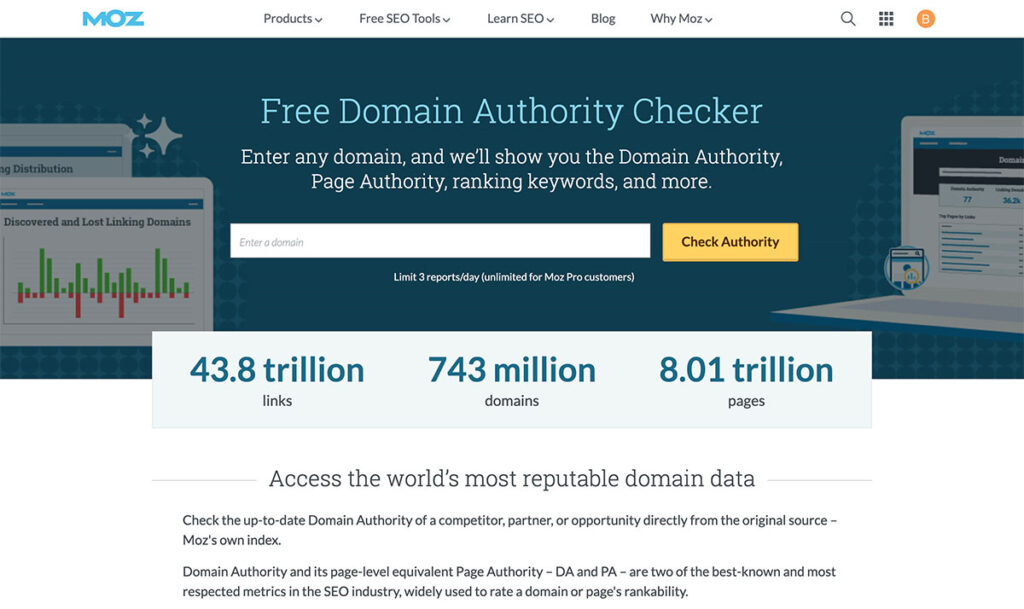
- Use the Google Chrome browser and install the MOZ Bar Chrome Extension. You will need to get a free moz.com account for this to work.
- Make sure you are logged into Moz.com, and then head back to Google to ensure the extension is activated.
- Now search in Google for “how much does bookkeeping cost”.
- Check which websites rank for this post in the first ten spots.
- You will see Domain Ratings below each search result with the MOZ bar activated.
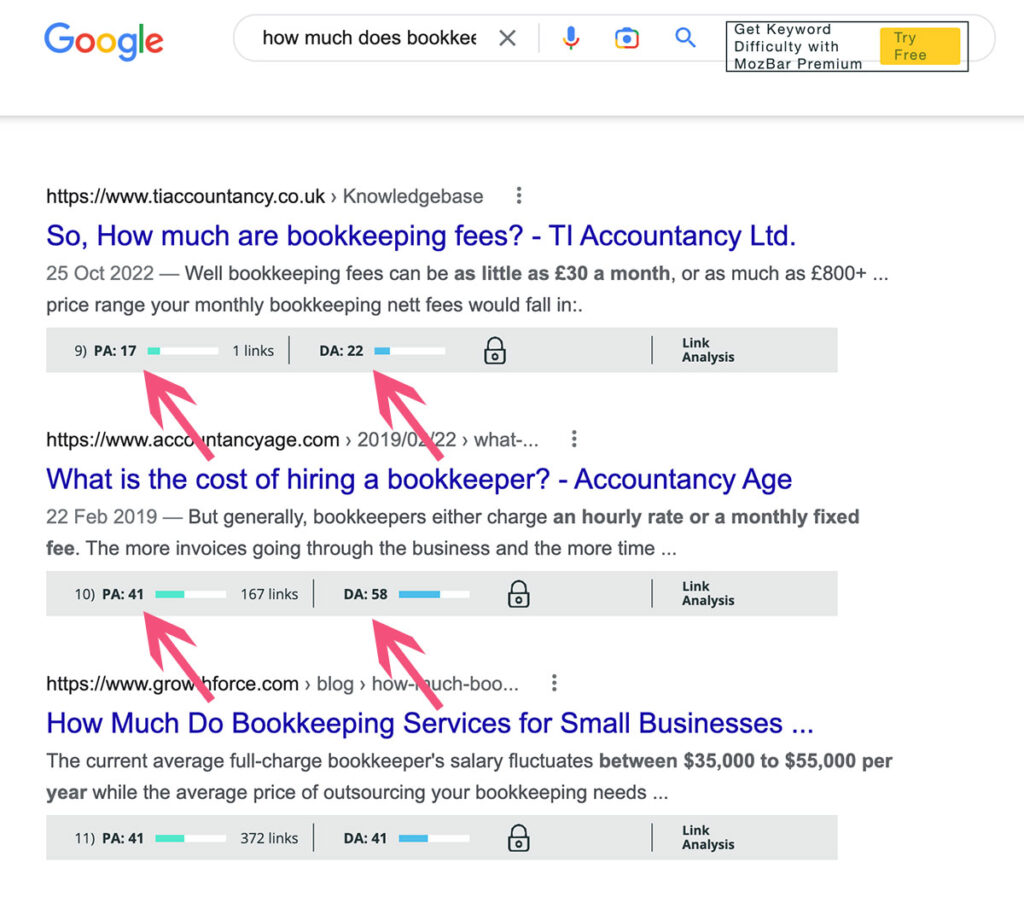
- Position 1: PA 17, DA 22
- Position 2: PA 41, DA 58
- Position 3: PA 41, DA 41
- Position 4: PA 23, DA 14
- Position 5: PA 38, DA 73
- Position 6: PA 41, DA 69
- Position 7: PA 37, DA 39
- Position 8: PA 16, DA 6
What does Domain Authority and Page Authority mean?
PA stands for page authority, and DA stands for Domain Authority. PA and DA are values used by MOZ.com (a professional SEO tool). Other SEO tools use different “names”, but they essentially mean the same thing.- Domain authority is a value that demonstrates an entire website’s overall authority and reputation.
- Page Authority only considers the strength and reputation of a specific page or blog post.
- Both PA and DA have a value between 0 and 100. If your DA and PA are higher, you will likely rank in search engines for difficult keywords.
The above Google results show that you need a domain authority of at least 14 (see position 4) to rank on page 1 in Google for this keyword.
If your website’s domain authority is below the lowest top-ranking website, you won’t have much chance to rank for this keyword (sorry!!!). You will need to work on improving your overall domain authority.
If your domain authority is at least the value of the lowest DA on the first page in Google (or higher), you can easily rank for this keyword, provided you optimise your blog post further and make your content better.
Step 2 – How to optimise your blog post for ranking in Google
Open MarketMuse.com and create a free account. Log in, click on optimise, enter the keyword in the first field and your page URL in the second field and then click Run/Fetch. Wait for a minute or two until the post is displayed. You will see colour coding on the right – the software shows you what expected keywords are already in your posts and which ones are missing.
Above the post, it also gives your blog post a content score. It will tell you the score of the top-ranking pages and how many words your blog post should have.
If, for example, the average content score is 35, with an average word count of 1,400 words.
Your blog post only scores 19 and has 800 words. That’s the reason why it’s not ranking in Google.

You will need to step through the keywords displayed in red on the right-hand side that are missing from your content. You may have overlooked whole sections that should be part of your topic. You can then pick out the keywords and add more relevant content.
- Keywords in yellow fulfil the expected number of keywords, but could be used a couple of times more.
- Keywords highlighted in green are used often enough.
- Keywords in red are missing and should be added.
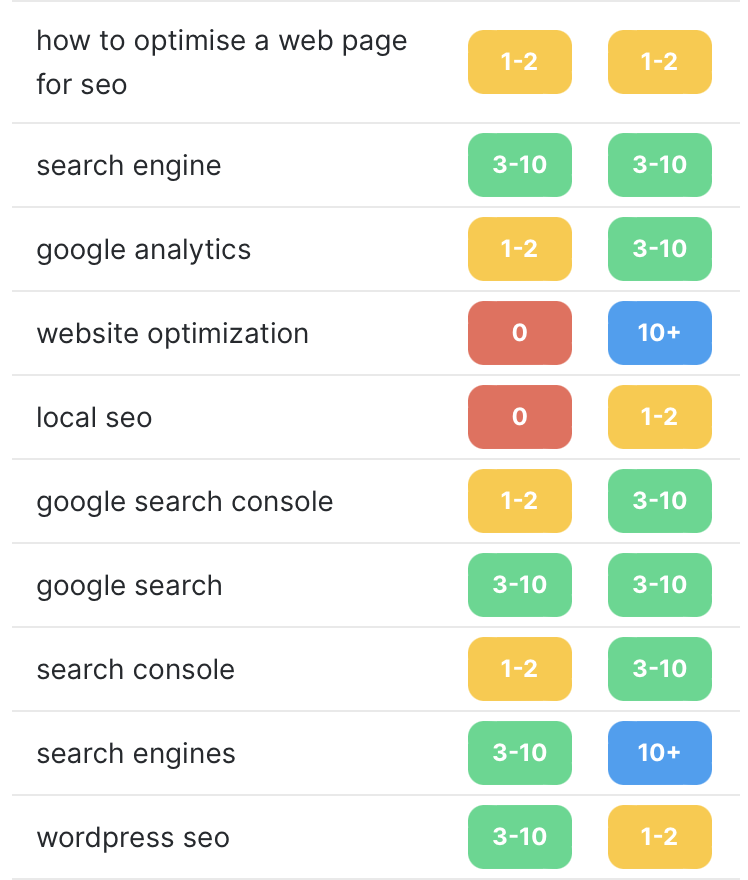
Try not to “waffle on” about non-relevant stuff, but keep your content topic relevant and add more insights.
Once you have updated your blog post, share it on your social media channels. There’s no need to resubmit a sitemap to Google. Google and other search engines will re-crawl your content regularly.
It’s then a waiting game for search engines to decide if your blog post is as good or better than the ones already in the search results.